Open source · Mac + Xcode · One app + one iPhone
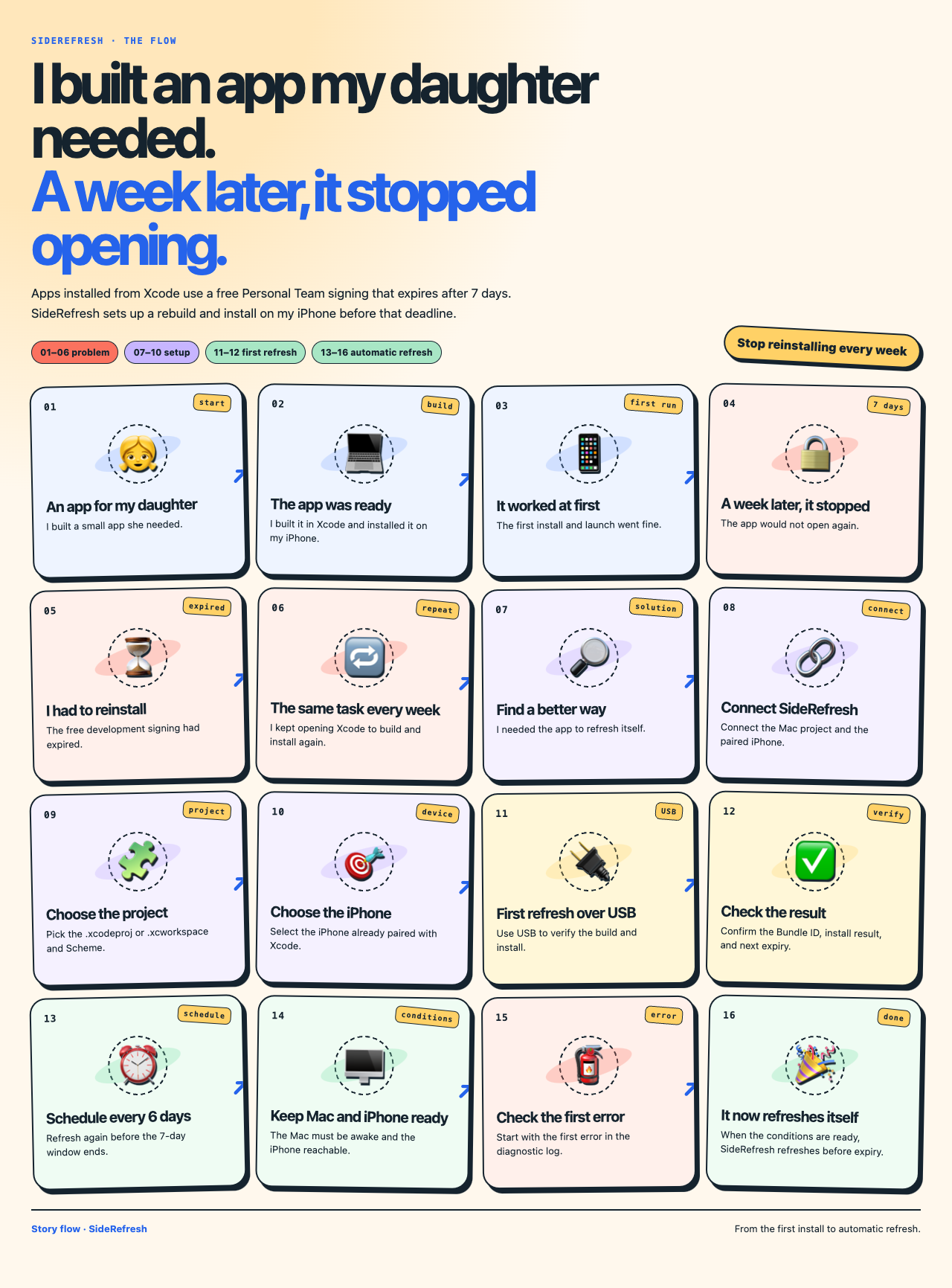
I built an app my daughter needed.
A week later, it stopped opening.
SideRefresh rebuilds, signs, and reinstalls that app before free Personal Team signing expires. Your source stays on your Mac.
A signed Mac build will follow Developer ID notarization and release verification.
Why this exists
One small app. One broken week. A repeatable fix.
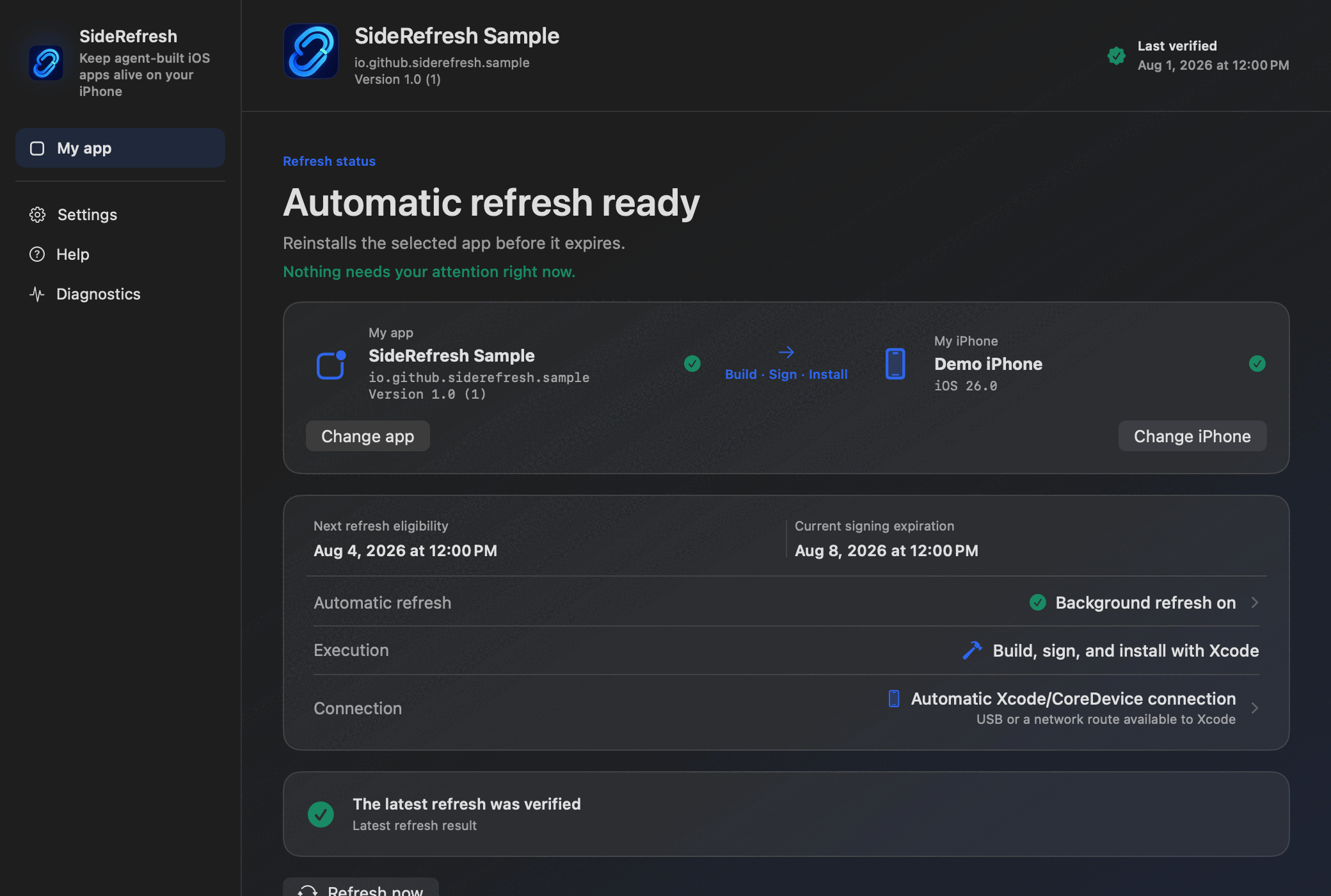
The first install worked. The free signing window did not last. SideRefresh turns the weekly Xcode rebuild into a scheduled refresh, as long as the Mac is awake and the iPhone is reachable.
Personal Team signing window
SideRefresh schedules from verified installation and expiration evidence—not from a successful command alone.
- Last verifiedApp installedSigning expiration read from the installed app
- Next refreshBefore expiryRuns when the Mac is awake and the iPhone is reachable
- Signing expiryDeadlineThe app must be rebuilt, signed, and installed again
How it works
The normal Xcode path, repeated before signing expires.
Choose what you own
Select one Xcode project or workspace and the paired iPhone you use.
Build, sign, and install
SideRefresh uses your installed Xcode and free Personal Team—without collecting your Apple Account password.
Verify and schedule
It records the installed app’s signing expiration and chooses the next safe refresh time.
What you need
A real Apple development setup.
- A Mac with a supported Xcode version
- An Apple Account and free Personal Team
- Your own native iOS project
- A paired, reachable iPhone with Developer Mode
- The Mac awake when a scheduled refresh runs
Local by design
Your project stays on your Mac.
- No Apple Account password collection
- No uploaded source code
- No third-party IPA store
- Apple’s normal Xcode signing and device tools
- Apache-2.0 source you can inspect
First-release scope
Deliberately narrow.
SideRefresh starts with one personal app on one iPhone. It is not for installing someone else’s IPA, managing teams or device fleets, using iOS without Xcode, or claiming pure-cellular renewal at launch.
- One selected app and one selected iPhone
- USB or a network route already available to Xcode
- Experimental connections remain clearly labeled
Product page: English · 한국어 · 日本語 · 简体中文
App interface: English · 한국어